Ishmael
Chapter Management
You aren't creating a flyer or a brochure here.
Chapters supply a sense of continuity to the reader, marking story beats where a plot point is raised or concluded. Where you break a chapter and in what order is very much part of the story and a creative decision to make. And yet word processors offer no explicit tools for novelists to manage such a fundamental concept.
A single document per-novel can quickly become unwieldy to edit. Microsoft Word starts to slow down when your manuscript gets large, well before the 70,000-word mark of a smaller novel. If you're writing a historical epic you will have to endure long load times and a less than responsive editor. A chapter per-document may seem like a reasonable solution but that makes it hard to see your story in context.
If you aren't blessed with the foresight to write everything in chapter order you are at some point going to want to re-order chapters and potentially move scenes from one chapter to another—a task which can be painful at best.
The Chapter Pane
Ishmael was designed with chapters in mind. Tucked away until you need it, the chapter pane provides an easy way to navigate between chapters. The edit position and undo stack are maintained. You can re-order chapters with a drag and drop which updates chapter numbers automatically. It has all the benefits of a single document while keeping everything in one file, and it will not slow down even with your 200,000+ word historical epic.
Apologies to Herman Melville for re-ordering his chapters.
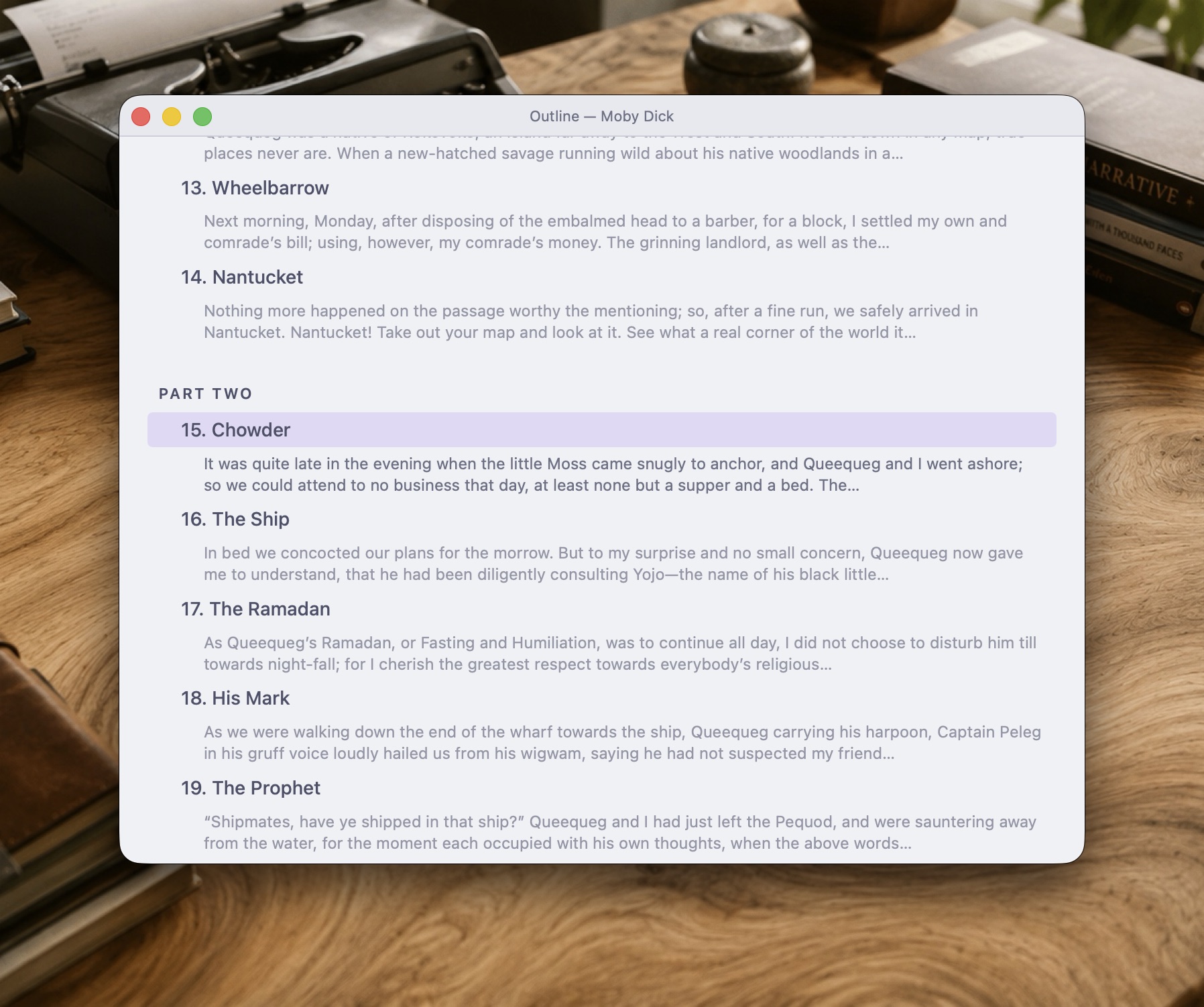
Outline View
The outline view is a bird's-eye view of the structure of your novel. You can re-order chapters with this view, and even drag a scene from one chapter to another.
Front and Back Matter
While chapters form the bulk of your novel, they aren't the only components of a book. Ishmael understands that a novel may have other sections like a foreword, epilogue, etc. Use the chapter pane to manage these additional sections in your book.